
If you have been playing War Commander on Facebook or KIXEYE.com, you can easily carry all of your progress over to the Steam version. Follow this step-by-step guide to securely link your established base to Steam.
⚠️ CRITICAL WARNING: You must perform this linking process before playing. If you choose "New Account" and begin playing a fresh game on Steam, you will lock out the account linking screen entirely. If you have already done this, please click SUPPORT on the main menu to contact our team for manual assistance.
Step 1: Launch the Game on Steam
Open your Steam client and launch War Commander. Once the game boots up to the main title screen, click the PLAY button.

Step 2: Choose Your Original Platform
Instead of loading directly into the game, a Link Account window will automatically appear. To link your existing progress, select the platform where your current base lives:
FACEBOOK
KIXEYE
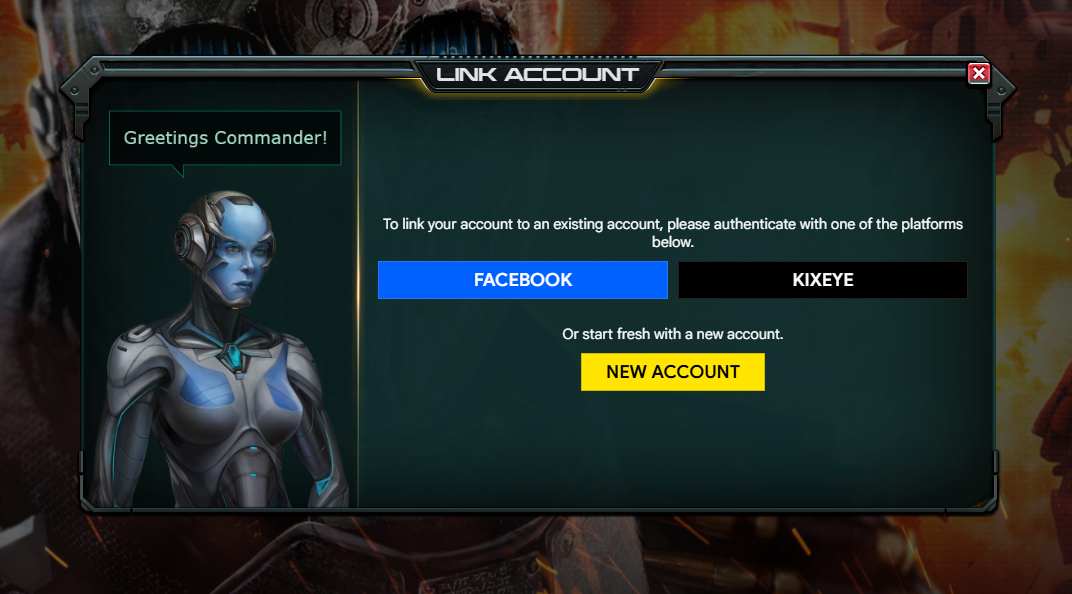
Step 3: Authenticate in Your Browser
The game client will prompt you to look at your internet browser with a message stating: "Continue in your browser to sign in securely."
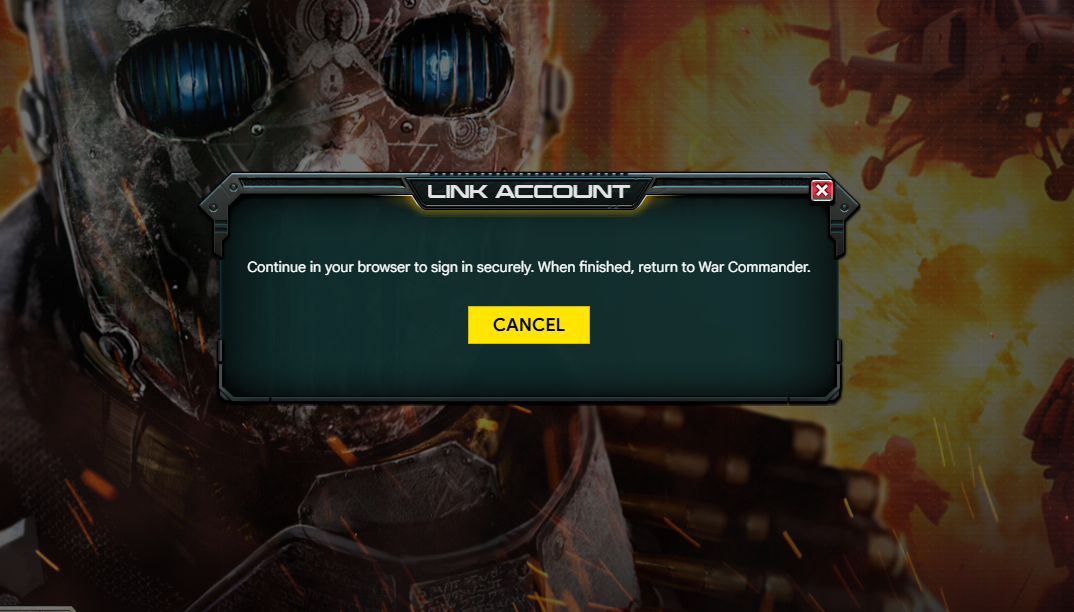
Your default web browser will automatically open a secure login page on KIXEYE.com or Facebook depending on which option you chose.
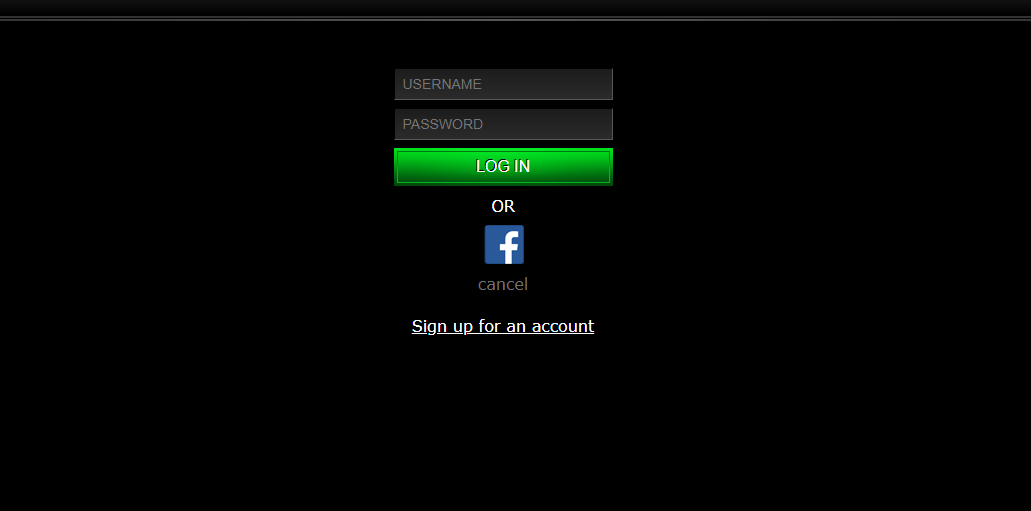
This is the KIXEYE.com login screen.Enter your existing Username and Password for either your KIXEYE or Facebook account, and click LOG IN.
Step 4: Verify Your Base Details
You will see a confirmation window asking: "Link this War Commander account? Confirm only if this is the account you want to use."
Carefully look over the provided credentials:
Base Name
User ID
Verify that this matches your main base. If everything looks correct, click the yellow LINK ACCOUNT button.

Step 5: Final Confirmation & Drop In!
A final pop-up will appear confirming "Account linking successful." Close the browser and go back to Steam. Click the yellow PLAY button to load directly into your base and resume command!
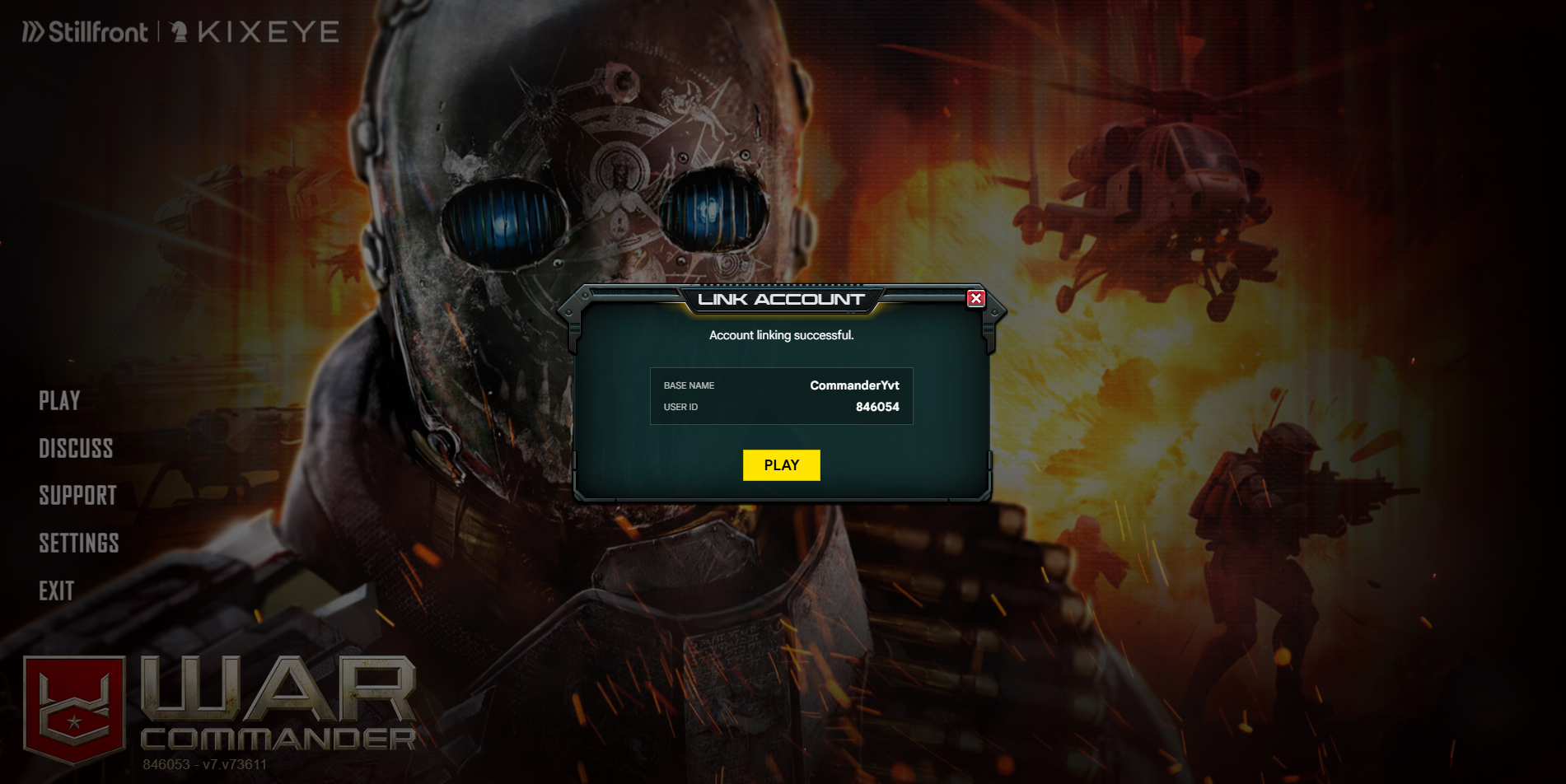
Need Help?
If you run into any issues during the browser authorization step, or if your credentials don't show the correct Base Name, do not click LINK ACCOUNT. Click CANCEL and contact support to get assistance.